Context
If you’re anything like me, you’ve created your fair share of user names and passwords over the years and it is likely that many more will be added in the future as well. To complicate things even more, you are probably using multiple different user names and passwords because of different requirements. Possible reasons:
- Username (because your desired username might not meet the requirements or might already be in use. Or because your -email is used as your username)
- Minimum number of characters.
- Maximum number of characters.
- (Specific) special characters required.
- (Specific) special characters not allowed.
- x number of upper case characters
- x number of lower case characters
- x number of digits.
- x number of special characters.
- Password needs to be changed every x days.
Because of the large number of accounts (I have about 200-300 accounts) it is impossible to remember them all. Even though it might be tempting to use (a couple of) the same username and password combinations for logging on, this is not recommended because it is a security risk. When one of the places where you use a specific user/password combination is compromised, all other places where you use this same combination are at risk too. In this post I will try to describe some challenges and what you can do about it.
Read the rest of this entry »
Tags: account, authentication, backup, best practice, best practices, certificate, Dropbox, encryption, Google Drive, keepass, keepass password manager, key, key file, keyfile, license, licenses, management, Microsoft Skydrive, mult-factor, mult-factor authentication, multifactor, multifactor authentication, Password, password generator, Password management, password manager, password recovery, secure, security, serial, serials, Skydrive, synchronization, user account, user name, username
Currently, there are many technological advancements taking place every day. To keep up with them is already very hard. To make it a bit easier I use RSS feeds to quickly filter what I think might be of importance to me.
A list of the RSS feeds I currently use can be found here , but you can also download an XML export of my RSS feeds here for easy import to your preferred RSS reader (assuming it supports XML import). I also advise you to check Microsoft’s RSS feed index so you can customize it to your own needs.
I personally use Google Reader for my RSS feeds because then my RSS feeds will be accessible from everywhere as long as I have a browser and an internet connection. When you are often on the road without an active internet connection, a dedicated client with cached articles from the RSS feed might also come in handy.
PS: The Microsoft blog rss feed had many articles added daily and can be hard to keep up with, but you can pretty quickly weed out duplicate articles and articles in foreign languages.
I hope this has been helpful to you.
Tags: bookmark, bookmarks, Cloud, developments, ESX, ESXi, favorite, favourite, gadget, Gadgets, ICT, Microsoft, news, rss, rss feed, technology, virtualization, VMware, vSphere, web site, web sites, website, websites, Windows
At November 23rd the 1st Dutch Powershell User Group (DuPSUG) meeting will be held in November at Master IT in Eindhoven for free.
Sessions:
- Using Windows PowerShell 3.0 to manage the remote Windows 8 workstation
Ed Wilson (Microsoft Scripting Guy)
- PowerShell and WMI
Richard Siddaway (PowerShell MVP)
- What’s new in PowerShell 3.0
Bert Wolters (Microsoft Certified Trainer with Master it Training)
- Protect your PowerShell scripts with version control
Stefan Stranger (Senior Premier Field Engineer at Microsoft Netherlands)
- From command, to script, to function, to advanced function, to tool.
Jeff Wouters (freelance Technology Specialist at Methos IT)
Read more about the meeting, the sessions and the speakers here: http://www.dupsug.com/
Also keep in mind that the available seats are very limited, so quickly sign up if your interested.
Tags: advanced function, application, Bert Wolters, DuPSUG, Dutch PowerShell User Group, Ed Wilson, function, ICT, IT, Jeff Wouters, Master, Master IT, Microsoft Scripting Guy, power shell, Powershell, Powershell 3.0, Richard Siddaway, Script, Scripting, Stefan Stranger, tool, Version control, WMI
In one of the reorganizations I was involved in, the intent was to redesign the change process. The method used was the “Brown Paper” method. The “Brown Paper” method is called this way, because everything is being modelled on a (large sheet of) brown paper as can be seen in this example. I personally really enjoyed this approach and think it can be very useful.
This method basically meant that people actually performing the tasks were brought together, were interviewed and actively participated to model the current way of working and its shortcomings. Afterwards this got transformed to the desired processes and what was necessary to realize it.
If you want to know more about it you can find a lot of information on the internet. To get some more insight I read the dutch book called “De Brown Paper-Methode” by The Brown Paper Company because they were the ones initially assisting us.
In this book I came across some examples of desired characteristics and competences in a working environment. These examples matched my personal preferences for a working environment and are very simple and straight forward in my personal opinion. In the images and excel files below these examples can be found (I have to admit I took some liberties in the English translation):
Read the rest of this entry »
Tags: Brown paper, brown paper company, brown paper method, Business Process, Business Process Redesig, characteristics, climate, competences, personal opinion, personal preferences, process
Over the last couple of years I’ve been using an Asus WL-500W wireless router to provide wireless access to our network. As a real tweaker I ofcourse replaced the default firmware with DD-WRT firmware and set the transmit power to maximum. This worked perfectly.
Lately however, my parents were experiencing some issues with wireless access from their phones and tablet. So the first thing I tried was to check if there might have been wireless networks on the same channel that were interfering. I checked this on my Windows laptop using Wi-Fi inspector and on the android phones and tablet using Wifi analyzer. Even though the number of wireless networks in the neighbourhood have increased substantially, here were no real indicators for issues. I did try optimizing and changing to a different wireless channel, but this also did not solve the issue. I think the increased transmit power might have taken its toll over the years.
Since I’m up-to-date regarding ICT developments, I know there is a new wireless standard 802.11ac under development and that recently a number of routers have been released based on the draft of this new wireless standard. The added value of these routers is mainly speed, but they are also very costly AND they require the client devices to be 802.11ac compatible as well (which they are not).
Instead I bought the TP-Link TL-WR1043ND plus three 8dBi anttenas (TL-ANT2408CL) because:
- It is a good wireless router.
- It can run custom firmware.
- It is relatively cheap.
- It has gigabit ethernet ports.
- I do not need 5GHz (dual-band).
- With the three 8dBi replaceable antennas, the range and signal strength will be unmatched in this price range.
The total cost of the router, 3 antennas and shipping was 65 euros at https://www.redcoon.nl. The wireless reception is perfect now and I recommend these products to everyone. Keep in mind however that wireless performance is very dependent on your environment and surroundings, so results may vary.
Tags: 802.11ac, 802.11n, antenna, DD-WRT, ICT, network, reception, router, TL-ANT2408CL, TL-WR1043ND, tools, TP-Link, wi-fi, Wi-Fi Inspector, wi-fi router, wifi, Wifi Analyzer, wifi router, wireless, wireless network, wireless router
Thanks to the internet and the great communities and companies all over the world, there are a lot of great applications and tools available. In the past years I’ve found and used numerous of them for all kind of purposes, both personally and professionally.
Because there are so many of them, it is hard to remember all of them. That’s why I decided to create a list on my Office 365 SharePoint website for all people to see and use:
http://bjornhouben-web.sharepoint.com/Lists/Applications
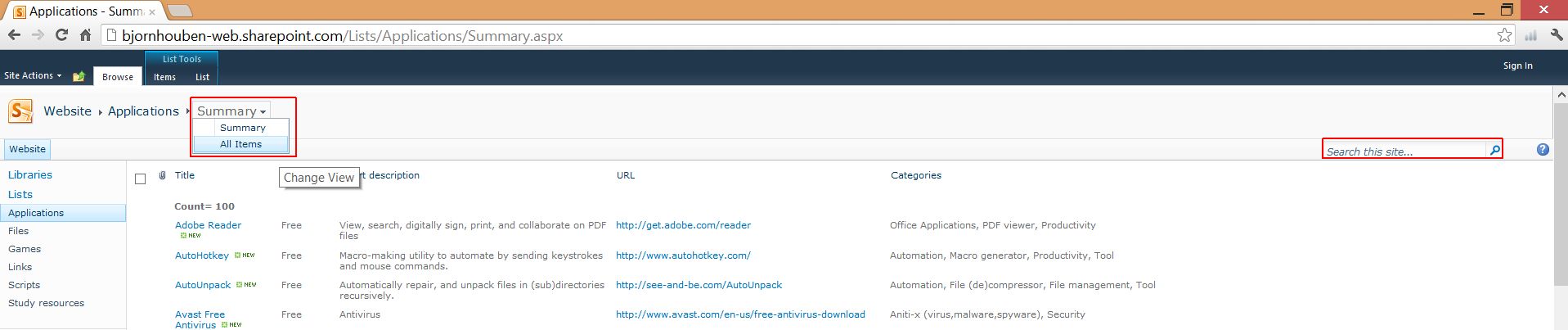
The summary view is shown by default for this list. If you want to change to a different view, click on “Summary” at the top and choose the view you want to use instead:
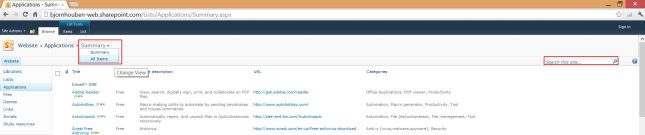
I put a lot of effort in providing metadata for these applications, so you can search and filter more easily.

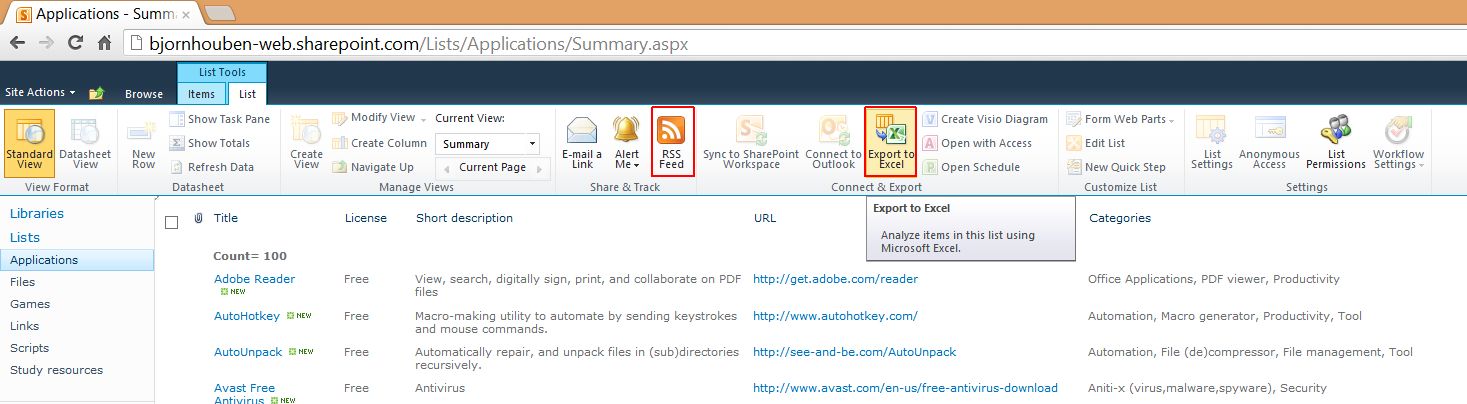
If you’d like, you can also export it to Excel. You can even subscribe to the RSS feed so you will be alerted when new applications have been added.

I hope you like the list. If you know of other great applications or tools that I have not yet listed, please let me know so I can add them.
Thanks in advance.
PS: I will update the other lists in the future as well. So they will work in a similar way and will also contain a lot of useful content.
Tags: Applications, filter, list, Sharepoint list, tools



 blog.bjornhouben.com